How to Prepare Your Logo for Leather Luggage Tags: Files, Proofs and Fixes
The best artwork for leather luggage tags is a clean, one-color vector logo with bold shapes and no tiny text. Custom Leather Luggage Tags can work from almost any file, but sending the right one gets you a sharper free mockup within 24 hours and fewer revision rounds. This guide covers files, detail, placement, name lists and the proof check.
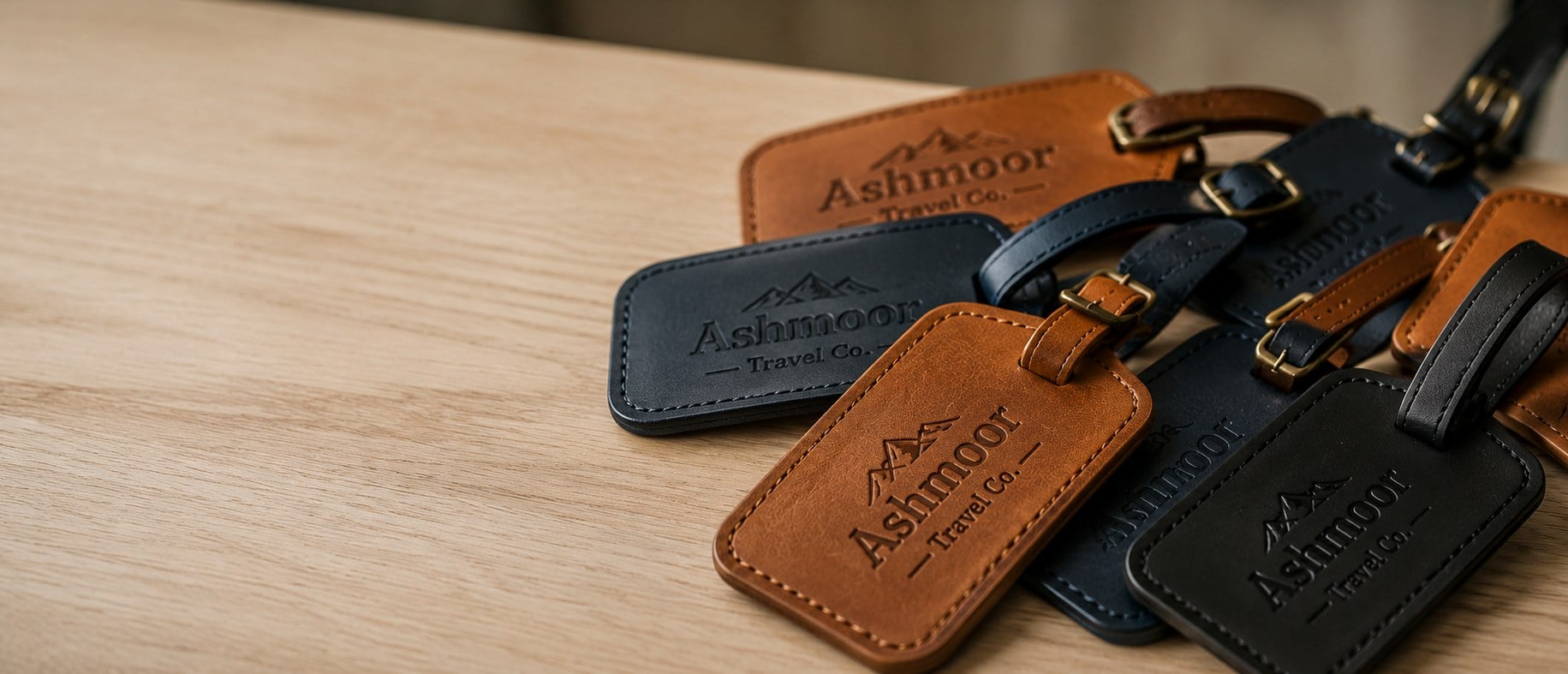
- Vector files (AI, EPS, SVG, vector PDF) give the sharpest result on leather
- Leather marking is one tone: deboss, gold foil or laser, no full color
- Free mockup within 24 hours with unlimited free revisions
- Minimum order is 12 tags; production takes about 2 weeks after approval
- Pay nothing until you approve the design
What logo file works best for leather luggage tags?
A vector logo file is the best starting point for leather luggage tags. Formats such as AI, EPS, SVG or a PDF exported from design software keep every edge sharp at any size, which matters because debossing dies, foil dies and laser paths are all built from clean outlines. Custom Leather Luggage Tags can work from a high-resolution PNG or JPG when that is all you have, but a vector file removes guesswork and speeds up the mockup.
If you are not sure what you have, ask whoever designed your logo for the “original” or “master” files. Files pulled from a website header or an email signature are usually too small and too soft for leather marking. Send what you have anyway; the team will tell you on the proof whether the file is usable as is or needs to be redrawn.
- Best: AI, EPS, SVG or vector PDF with fonts converted to outlines.
- Workable: a large, crisp PNG on a transparent background.
- Avoid: screenshots, tiny JPGs, logos copied from social profiles.
Why does a logo need to be one color on leather?
Leather luggage tags are marked with a single tone, so your logo has to read clearly in one color. Debossing presses the design into the hide with no ink at all, gold foil lays down one metallic finish, and laser engraving darkens the leather in its own natural shade. None of these methods reproduces gradients, drop shadows or several brand colors side by side.
Most brands already have a one-color version of their mark for stamps, embroidery or fax headers. That version is the one to send. If your logo only exists in full color, the Custom Leather Luggage Tags design team can convert it to a single-tone version and show you the result on the free mockup before anything is produced.
Watch for logos that rely on color to separate shapes. A blue circle with a green leaf inside may merge into one blob when both become the same tone. The fix is usually a thin knockout line or a simplified outline, which the proof will show.
How much detail can a leather luggage tag actually hold?
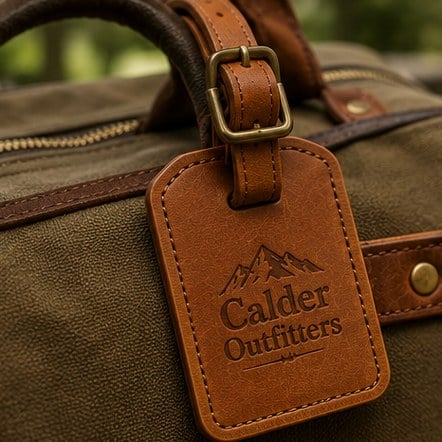
Leather luggage tags hold bold shapes and confident lettering far better than fine detail. The marking area on a tag is small, and leather has a grain that softens very thin lines and tiny type. Simple logos, wordmarks and monograms look crisp; intricate illustrations, small taglines and hairline borders tend to fill in or disappear.
Each marking method handles detail a little differently, which is why it helps to choose the method with your artwork in mind:
| Method | How it looks | Artwork that suits it |
|---|---|---|
| Debossing | Pressed into the leather, tone on tone | Bold logos and wordmarks with open counters |
| Gold foil | Metallic finish pressed into the surface | Clean monograms and lettering with solid strokes |
| Laser engraving | Darkened leather with sharp edges | Logos with slightly finer lines and individual names |
If your logo includes a long tagline, consider dropping it from the tag and keeping it for packaging. A clean mark with breathing room around it will look more premium than a crowded one.
Which side of the tag should carry the logo, and which the traveler details?
On most leather luggage tags the logo goes on the outside face and the traveler details stay on the inside or on a card behind a window. That split keeps the brand visible on the carousel while protecting personal information. Styles like privacy flap luggage tags are built for exactly this, with a cover that hides the address.
Think about how the tag hangs. A buckle strap luggage tag swings from the handle, so the face that points outward should carry the mark. A slim card luggage tag often has room for a small logo on the front and a second mark or initials on the back.
When you send artwork, tell the team which face each element belongs on. A short note such as “logo centered on the front, initials lower right on the back” saves a revision round and makes the first mockup much closer to final.
How do personalized names work in the artwork file?
Personalized names on leather luggage tags are handled as a list, not as separate artwork files. You send one logo file plus a spreadsheet with the name, initials or employee title for each tag, and Custom Leather Luggage Tags sets every line in a consistent font and position. Laser engraving is the usual choice for individual names because each tag can change without new tooling.
Keep the list clean before you send it:
- One row per tag, in the exact spelling and capitalization you want.
- A separate column for each line if a tag carries more than one line of text.
- No nicknames or abbreviations you have not confirmed with the recipient.
- A note on which names are longest, so the layout is tested against them.
The mockup will show the longest name on the list so you can see that it fits comfortably. Shorter names then sit in the same position with extra space around them.
What does the free mockup show, and what should you check on it?
The free mockup from Custom Leather Luggage Tags is a digital preview of your leather luggage tag with your logo, any text and the marking method applied to the style you chose. It arrives within 24 hours of your request, and revisions are free and unlimited. You pay nothing until you approve the design.
Use the mockup as a checklist rather than a quick glance:
- Read every word aloud, including the brand name and any web address.
- Check that small details in the logo are still visible at tag size.
- Confirm the logo is on the correct face and centered the way you want.
- Compare the leather color and marking method against your brand guide.
- If names are included, scan the full list for spelling one more time.
Ask for a change whenever something feels off. A revision costs nothing at the proof stage, while a mistake found after production means waiting for a new run.
What artwork mistakes slow down a leather luggage tag order?
The most common artwork mistakes on leather luggage tags are low-resolution files, full-color logos with no one-color version, tiny text, and unclear placement notes. Each one adds a round of back-and-forth before the mockup is ready to approve, which pushes the about 2 weeks of production further out.
- Fonts not outlined: live text in a vector file can swap to a default font. Convert type to outlines before exporting.
- White backgrounds baked in: a logo saved on a white box shows the box edge on leather. Send a transparent background.
- Thin outlines around shapes: hairline strokes may vanish in debossing. Thicken them or remove them.
- Too many elements: logo, tagline, website and social handle rarely fit on one face. Pick the essentials.
- Missing brand guide: if your company has rules about clear space or approved versions, attach them.
None of these will stop an order, because the design team can fix most of them. Catching them before you submit simply gets you to an approved proof faster.
How do you send artwork and start your leather luggage tag order?
To start an order for leather luggage tags, fill in the custom quote form and attach your logo file, the style you want, the marking method if you know it, your quantity and any name list. The minimum order is 12 tags. Custom Leather Luggage Tags replies with a free mockup within 24 hours.
If you have not chosen a style yet, browse laser engraved luggage tags, gold foil luggage tags and full grain debossed luggage tags to see how different finishes treat a logo. The how it works page walks through each step from quote to delivery.
Once you approve the proof, standard production takes about 2 weeks, with faster turnaround available through express shipping. Good artwork at the start is the simplest way to keep that schedule on track.
Frequently asked questions
Can I send a logo as a PDF for leather luggage tags?
Leather luggage tags can be produced from a PDF as long as the file was exported from design software and contains vector shapes rather than a flat picture. A vector PDF keeps edges crisp when the logo is scaled for debossing, foil or laser marking. If you are unsure which kind you have, send it to Custom Leather Luggage Tags and the team will check it on the mockup.
Will my logo colors show up on leather luggage tags?
Leather luggage tags are marked in one tone, so brand colors are not reproduced as printed colors. Debossing is tone on tone, gold foil gives a single metallic finish and laser engraving darkens the leather naturally. Your logo is converted to a one-color version, and the free mockup shows exactly how that version looks before you approve anything.
How small can text be on a leather luggage tag?
Text on leather luggage tags needs to stay bold and reasonably large, because leather grain softens very fine strokes. Short wordmarks and initials read well, while long taglines and tiny website addresses often blur. Custom Leather Luggage Tags sizes your text for the chosen style and method, and the mockup lets you judge legibility at actual tag scale before production starts.
Should I outline fonts before sending artwork for leather luggage tags?
Leather luggage tag artwork should have fonts converted to outlines whenever the file is vector. Live text can switch to a default typeface if the font is not installed on the designer's computer, which changes your logo. Outlining locks the letter shapes in place. If you cannot outline them yourself, name the font in your note and the team will match it.
Can a full-color illustration be used on leather luggage tags?
A full-color illustration usually needs to be simplified before it works on leather luggage tags. Shading, gradients and color blends do not translate to debossing, foil or laser marking, so the design is redrawn as clean one-tone shapes. Custom Leather Luggage Tags can suggest a simplified version on the free mockup, and you can request unlimited revisions until it looks right.
Do I need separate artwork for the front and back of a leather luggage tag?
Leather luggage tags with marks on both faces can use one artwork file, as long as you explain what goes where. Send the logo once, add initials or a second mark if needed, and write a short placement note for each side. The mockup from Custom Leather Luggage Tags shows both faces so you can confirm the layout before production.
How should a name list be formatted for personalized leather luggage tags?
A name list for personalized leather luggage tags works best as a simple spreadsheet with one row per tag and one column per line of text. Type every name exactly as it should appear, including capitals and accents. Flag the longest entries so the layout can be tested against them, and double-check spelling before sending, since the list is used as written.
What happens if my artwork is not good enough for leather luggage tags?
Leather luggage tag orders still move forward when artwork is weak, because the design team can redraw or clean up most logos. You will see the improved version on the free mockup and can ask for changes at no charge. Custom Leather Luggage Tags only starts production once you approve the design, so nothing is made from a file you have not seen.
Can the same logo file be reused for a reorder of leather luggage tags?
Leather luggage tags are easy to reorder when you keep the approved artwork and note the style, leather color and marking method from the first run. Mention your earlier order when you request a new quote and the team can match it. If anything changes, such as a refreshed logo, a fresh mockup is created first so you can approve the update.
Is a transparent background important for leather luggage tag artwork?
A transparent background helps leather luggage tag artwork because a logo saved on a white or colored box can carry that box edge into the marking. Vector files usually avoid the problem entirely. With a PNG, export it on transparency if possible. Custom Leather Luggage Tags will remove a background when needed and show the cleaned result on the mockup.
Which marking method is most forgiving of a detailed logo on leather luggage tags?
Laser engraving is usually the most forgiving method for a detailed logo on leather luggage tags, because the laser follows finer paths than a pressed die. Debossing and gold foil reward bolder shapes with open spaces between elements. If your logo has thin lines, ask to see it in more than one method on the mockup before choosing.
Get a free mockup for your leather luggage tags
Send your logo or idea and the quantity you have in mind. Custom Leather Luggage Tags returns a free mockup within 24 hours, you approve the design before anything is produced, and standard turnaround is about two weeks with faster options available. Get a custom quote.
Win Free Stuff
Enter below for a chance to win plus receive 10% off your first order.
🎉 You are in!
We will text you your 10% off code. Good luck!